12,758 real airports. 48 aircraft, from a J-3 Cub to Concorde. 488 routes on every continent.
Focus is the fuel.
-
1Pick where to fly
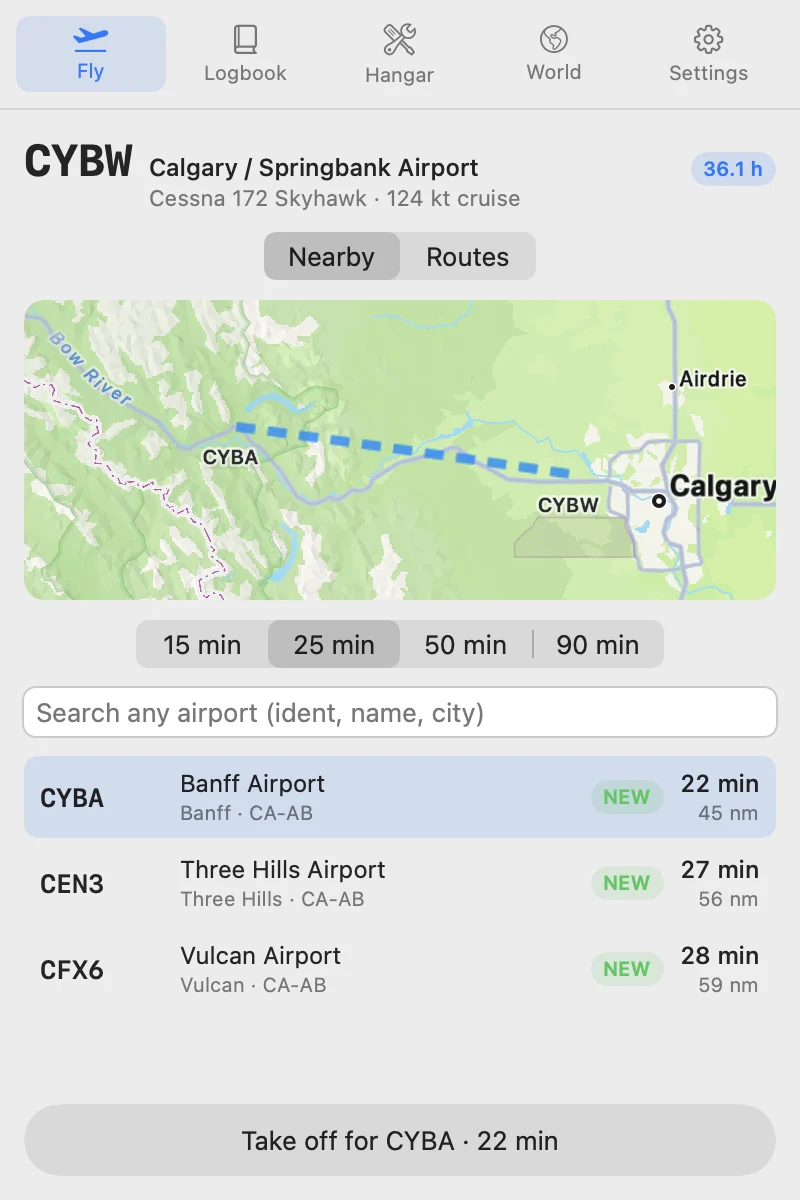
Choose 15, 25, 50 or 90 minutes. Pomodrome finds real airports that far away in your plane. Banff is 24 minutes from Springbank in a Cessna 172.
-
2Focus until you land
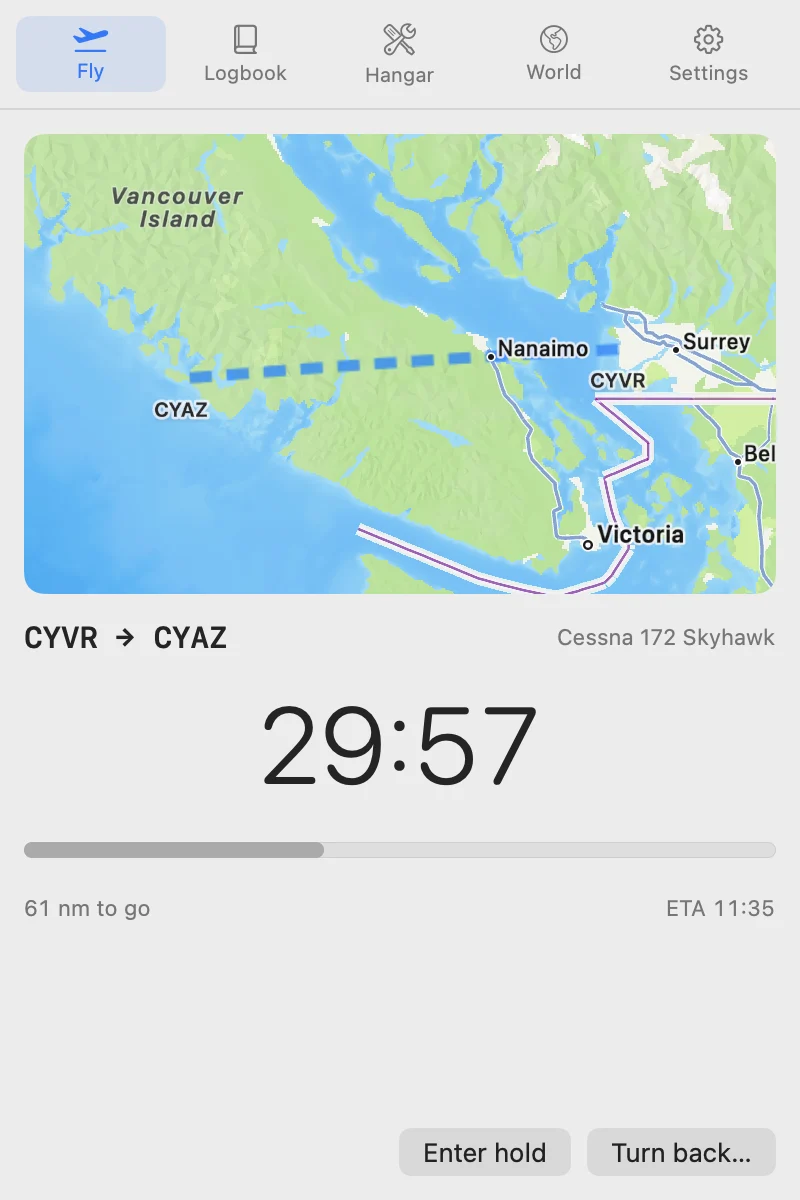
The flight runs while you work. Stay on task the whole way and you land, with the time in your logbook.
-
3Unlock what's next
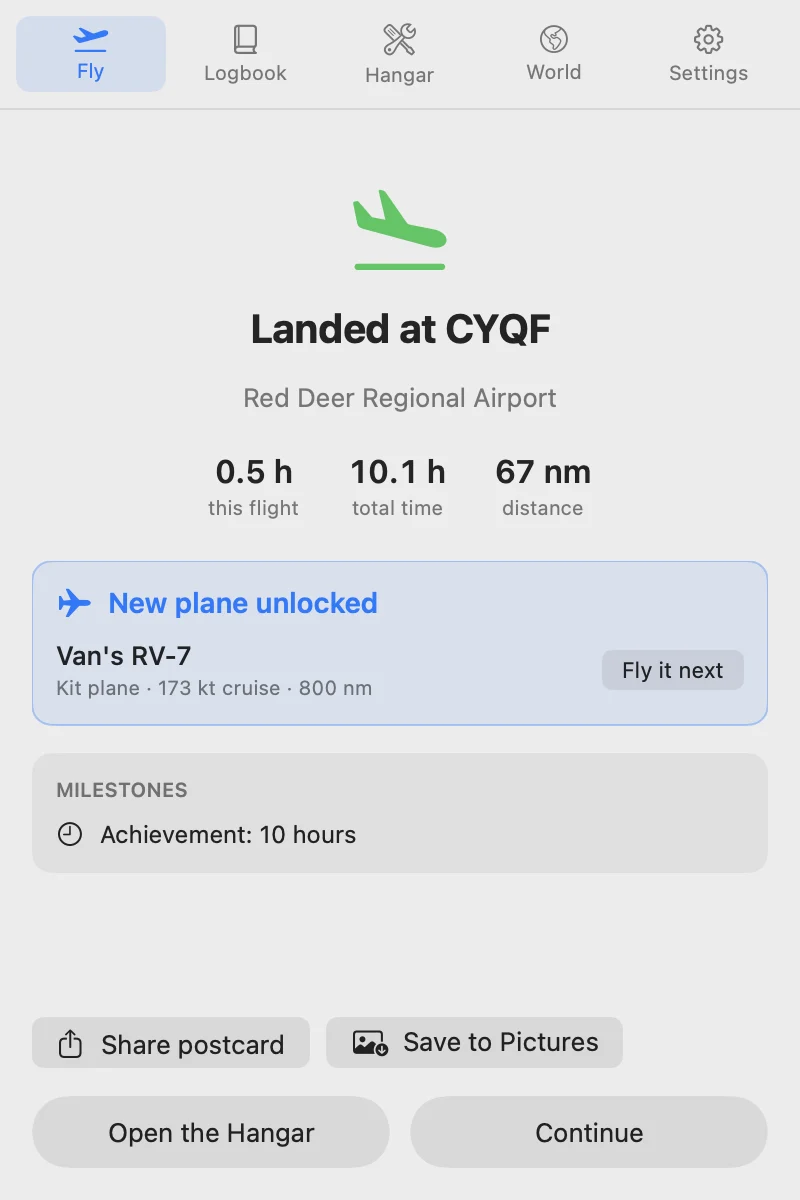
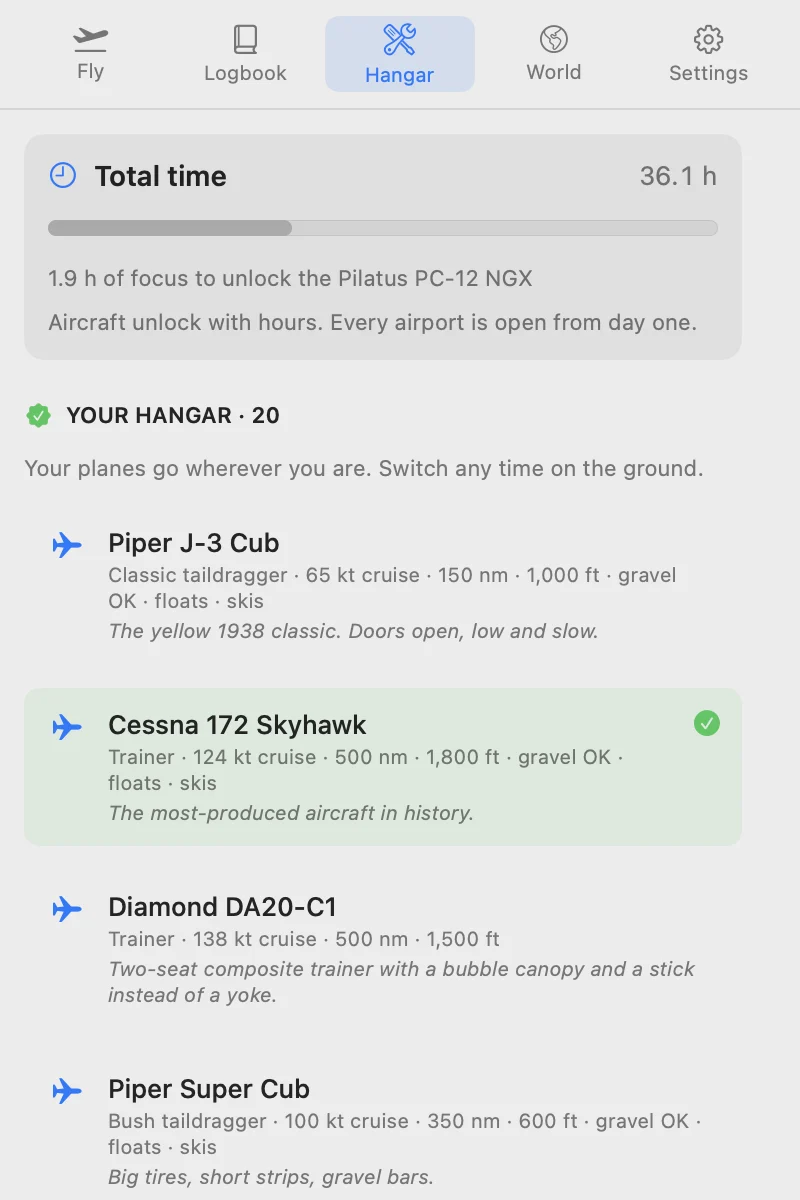
Hours unlock new aircraft that fly farther and faster.
Get distracted, and you turn back.
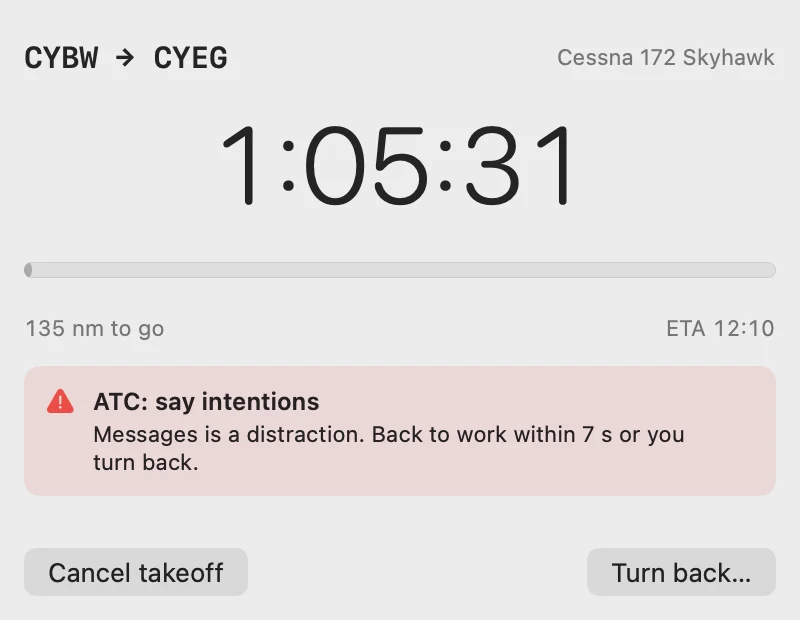
Open Messages, or Instagram in your browser, mid‑flight, and ATC calls you: 10 seconds to get back to work. Come back and the flight carries on. Don't, and you turn back to where you took off. That flight isn't logged, so a slip never marks your logbook.
It checks the front tab in Safari, Chrome, Brave, Edge, Arc and Vivaldi. Study on YouTube? Allow your course channels and the rest of YouTube still counts as a distraction.
From first solo to Concorde.
One new aircraft at a time, from your first hour to your 500th. Laid out like the flight strips on an ATC controller's board.
- Day one3 aircraftPiper J-3 Cub, Cessna 172, Diamond DA20 (pick one to start)
- 1–10 h8 aircraftSuper Cub, Cessna 152, Aviat Husky, Piper Archer, Super Decathlon, Cessna 182, Diamond DA40, Van's RV-7
- 13–20 h3 aircraftBonanza G36, Cirrus SR22, Mooney Acclaim
- 22–40 h8 aircraftPilatus Porter, DHC-2 Beaver, Grand Caravan, PC-12, TBM 960 and 3 more
- 46–70 h5 aircraftIslander, Twin Otter, DA42, Seneca, Baron
- 78–110 h5 aircraftATR 72, Vision Jet, King Air, Dash 8-400, PC-24
- 121–175 h6 aircraftA gravel 737, CRJ900, E175, A220, 737 MAX, A321neo
- 200–300 h5 aircraft787, A350, 777, A380, 747-8
- 340–500 h5 aircraftDC-3, Super Constellation, P-51 Mustang, Spitfire, Concorde
- Every airport, from day one
- Nothing on the map is locked. Faster aircraft take you farther in each session.
- Set your own grace period
- Choose how long you get to close a distraction before ATC turns you back: 3 seconds if you want it strict, up to a minute.
Routes wherever you start.
488 routes, each with the aircraft that suits it. Every large airport except four remote islands is within 300 nm of one you can fly in your first plane.
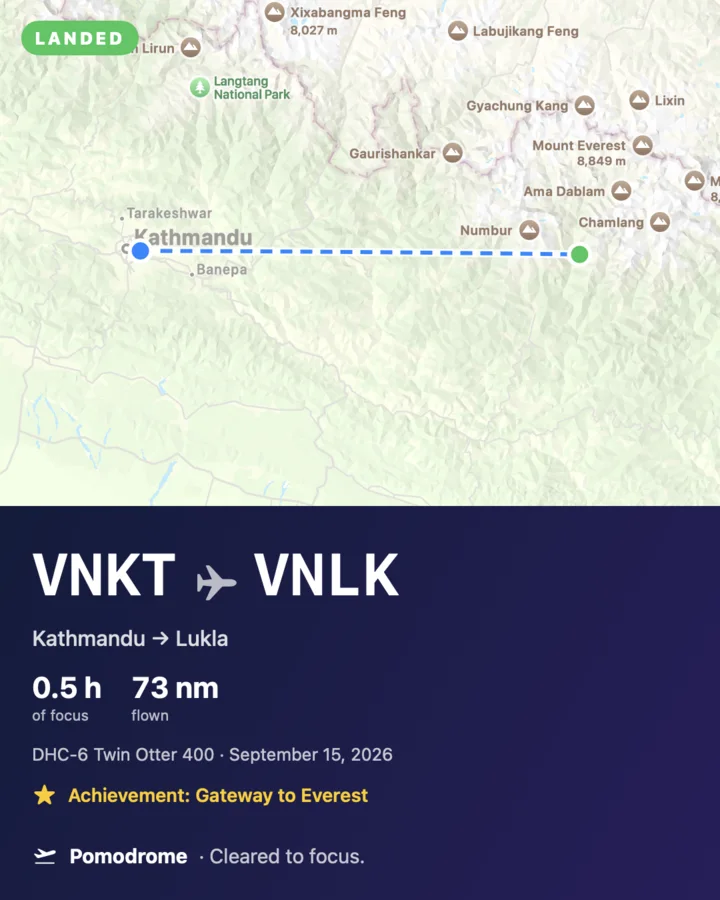
- VNKT to VNLKLukla, gateway to EverestA short, steep runway that ends at a mountain wall.
- TNCM to TNCSSabaOne of the shortest commercial runways anywhere, with cliffs at both ends.
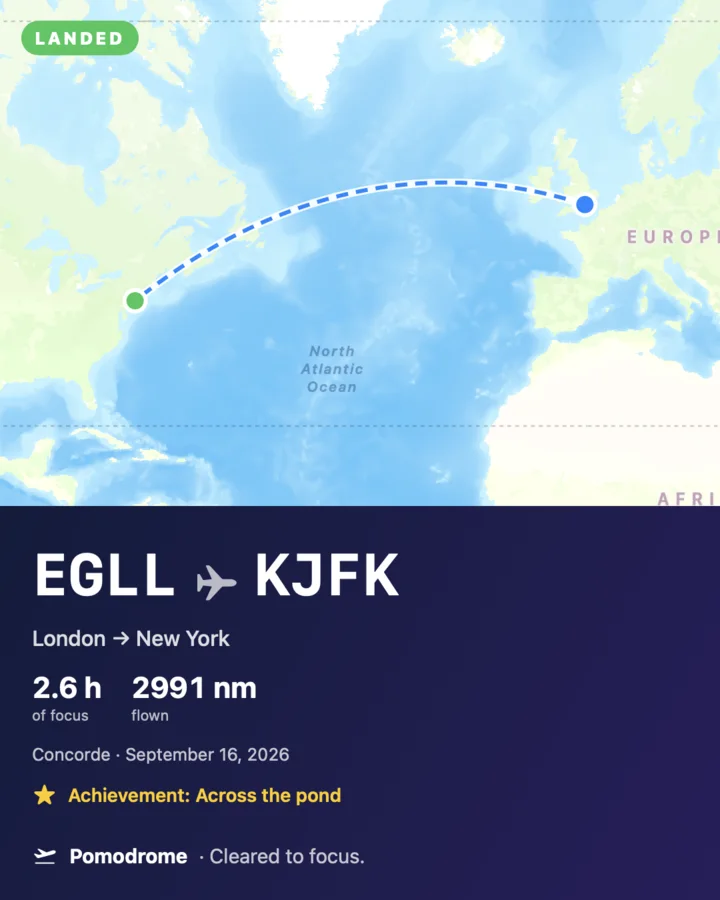
- EGLL to KJFKConcorde: London to New YorkBritish Airways flew Concorde on this route until 2003.
- CYOW to CYTZToronto IslandLand downtown, next to the CN Tower.
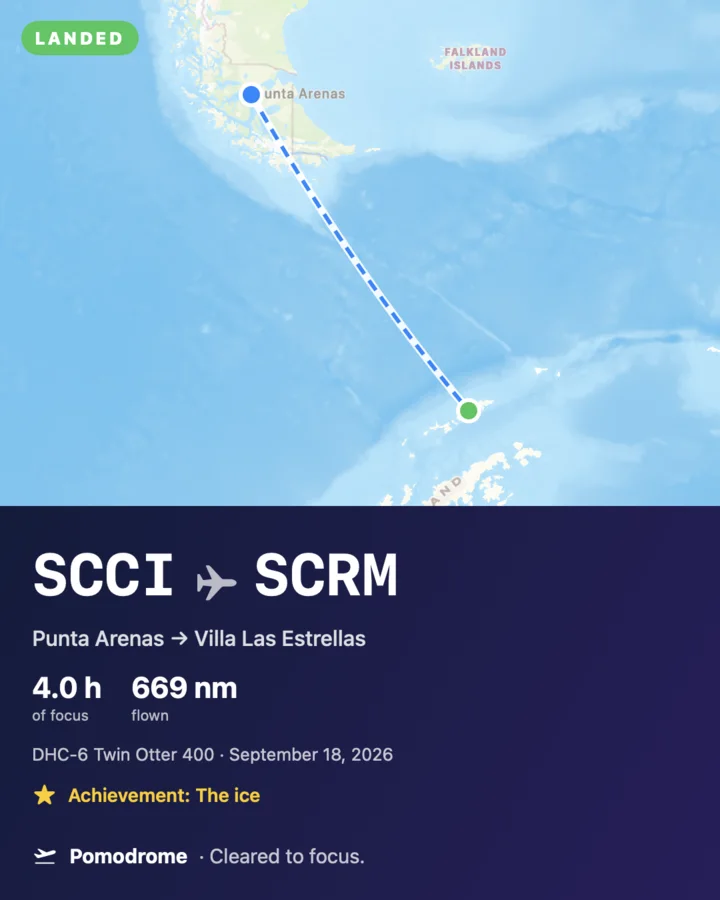
- SCCI to SCRMAntarcticaAcross the Drake Passage to King George Island's gravel strip.
- EGPF to EGPRLand on the beachBarra's runways are the beach itself. The tide sets the schedule.
A postcard for every landing.
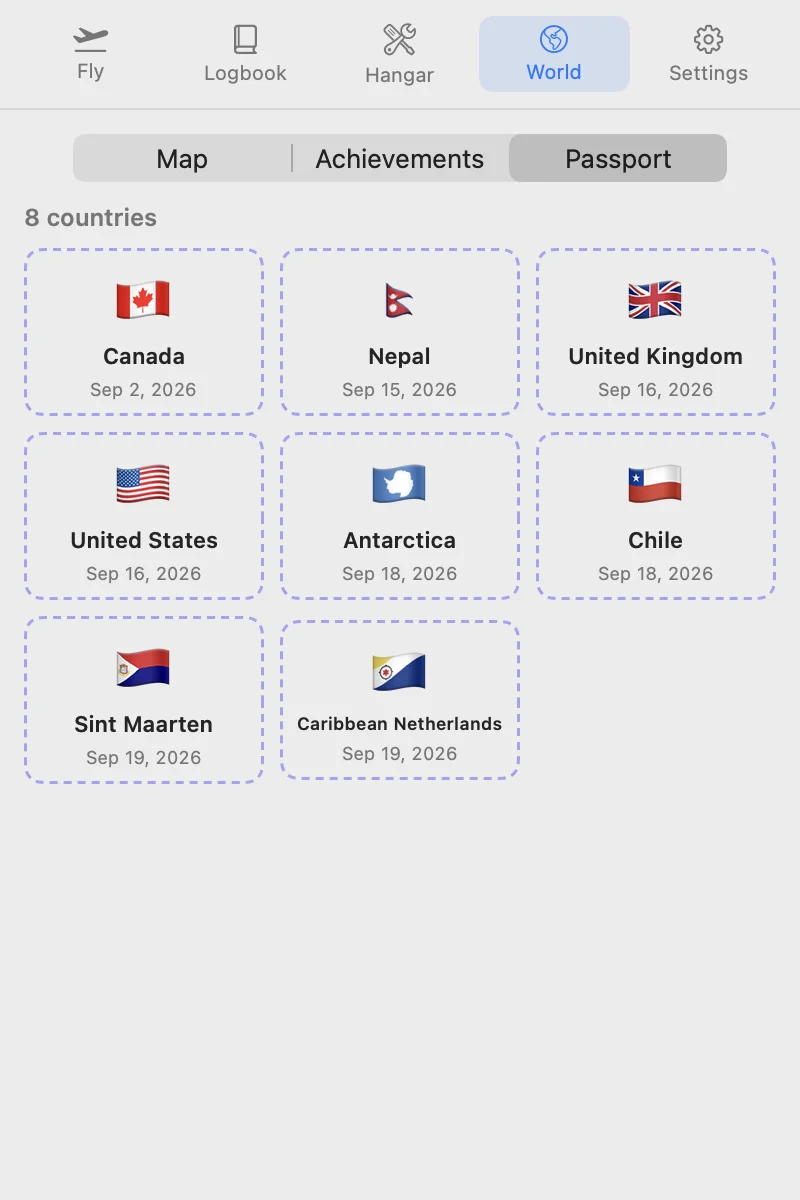
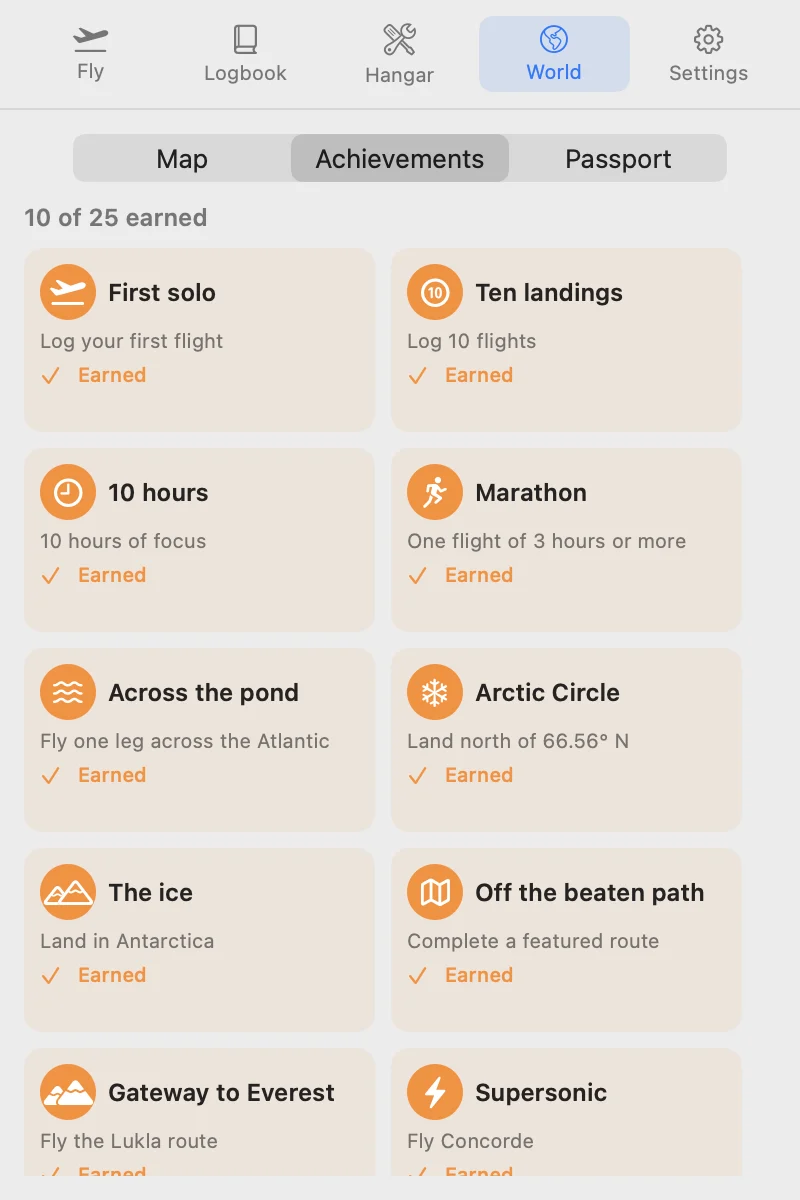
Make a postcard of any flight to share. Every country you land in gets a passport stamp, and 25 achievements are waiting.
The details.
- Turnaround breaks
- A 5-minute break after each landing and 15 minutes after every fourth, the pomodoro way. Skip them whenever you like.
- A logbook that adds up
- Every flight is logged with its time, route and aircraft. Export it to a spreadsheet any time.
- Cockpit sound
- An optional low engine hum that matches your aircraft: piston, turboprop, jet, or Concorde.
- Lives in the menu bar
- The countdown sits next to your clock. No window to manage and nothing in the Dock.
- A journey, not a timer
- Your plane stays where you land, so sessions add up to a trip. Pick a route on the far side of the world and the app shows the legs that get you there.
- Made for studying
- Allow the YouTube channels and sites you study from. Everything else on your list counts as a distraction.
It notices. It doesn't watch.
During a flight, Pomodrome checks two things: which app is in front, and the address of your browser's front tab. It compares them with your list on your Mac, then forgets them. You don't have to take our word for it.
- No screen or keyboard access
- Pomodrome never asks macOS for Screen Recording, Accessibility or Input Monitoring, so it can't see your screen or what you type. Look in System Settings, under Privacy & Security: it isn't listed.
- Works offline
- Turn off Wi-Fi mid-flight. Warnings and turn-backs keep working, because nothing is sent anywhere to decide.
- Quiet on the network
- Watch it with a network monitor like LuLu or Little Snitch. The app only talks to Apple Maps, to draw the map.
- See everything it keeps
- Export your logbook to a spreadsheet: that's all it stores. Flights, times and airports, never which app or site pulled you away.
Built in Calgary by a private pilot working on night and instrument ratings and a commercial pilot licence, to keep the studying going between flights.
Fly free for 2 hours. Then pay once.
Your first 2 hours of focus are a free discovery flight, with every feature. No card and no account needed. Then unlock everything for $19.99, once. No subscription.
Try it before you buy. If it doesn't work on your Mac, you get your money back.
CA$27.99 or €19.99.
Questions.
Which Macs does it run on?
Macs running macOS 14 Sonoma or later. There's no iPhone or Windows version yet.
Does it block websites?
No. It notices. If a distracting app or site comes to the front during a flight, you get a warning and a few seconds to get back to work. You choose the list, and Pomodrome starts with the usual ones: YouTube, Reddit, X, Instagram, TikTok, Facebook, Netflix and Twitch.
Which browsers?
Safari, Chrome, Brave, Edge, Arc and Vivaldi. Firefox doesn't let other apps see the current page, so it can't be checked.
Is it a pomodoro timer?
At heart, yes: focused sessions with short breaks between them, and a longer one after every fourth. You pick 15, 25, 50 or 90 minutes. The difference is that each session is a flight, and the hours unlock more aircraft.
Is it a flight simulator?
No. You don't fly the plane, you do your work. The flight plays out on a real map at the aircraft's real speed while you focus.
Do I need to be a pilot?
Not at all. It's a focus timer for anyone who studies or works at a Mac. Pilots will recognise the details.
What happens after the free 2 hours?
Your logbook, World map and postcards stay open, and everything you've flown keeps counting toward new aircraft. Taking off again needs the one-time unlock.
Can I get a refund?
The free 2 hours are there so you can decide before you pay, so we don't refund a change of mind. If Pomodrome doesn't work on your Mac and we can't fix it, email hello@pomodrome.com and you'll get a full refund.
What do you collect?
The app keeps your logbook on your Mac, and the distraction checks never leave it (how to check). This site stores your email only to send the launch email, and counts visits without cookies. Details in the privacy notice.
When does it launch?
When it's ready, and it's close. Join the list and you'll get one email on launch day with the $9.99 price.